Introduction
If you've encountered errors related to opencl.dll on your Windows system, you're not alone. This dynamic link library (DLL) file plays a crucial role in graphics processing and hardware acceleration, integral for games, digital art, and various professional applications. When opencl.dll is missing, corrupted, or fails to load, it can cause frustrating crashes, startup failures, or degraded system performance. Promptly diagnosing and fixing these issues is essential to restore stability and ensure your system runs smoothly. In this comprehensive guide, you'll learn everything from understanding what opencl.dll does to step-by-step troubleshooting techniques, effective repair methods, and preventive measures to avoid future problems.
Understanding opencl.dll and Its Functions
What is opencl.dll?
opencl.dll is a system file associated with the OpenCL (Open Computing Language) framework. OpenCL is an open standard for writing programs that execute across heterogeneous platforms—including CPUs, GPUs, and other processors. The opencl.dll library acts as a bridge, enabling applications and games to leverage hardware acceleration for complex computations, graphic rendering, and parallel processing.
This DLL file is typically installed along with your graphics drivers from manufacturers like AMD, NVIDIA, or Intel. Many graphics-intensive applications and modern games rely on OpenCL to deliver enhanced performance, making opencl.dll essential for smooth operation.
Role in system and application performance
opencl.dll significantly impacts the performance of applications that utilize GPU computing. When functioning properly, it facilitates efficient processing, reduces CPU load, and enables sophisticated graphics effects. Conversely, if the DLL is corrupted or missing, applications may fail to start, crash unexpectedly, or display error messages, adversely affecting your overall user experience.
Common Symptoms and Causes of opencl.dll Errors
Error messages related to opencl.dll
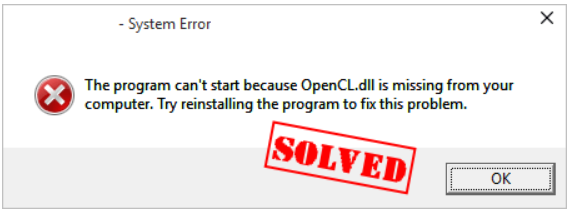
Users encountering opencl.dll issues often see specific error messages, such as:
- "The program can't start because opencl.dll is missing from your computer."
- "opencl.dll not found."
- "Failed to load opencl.dll."
- Application crashes upon launch, especially those relying heavily on GPU acceleration. These messages typically indicate that the DLL file is missing, damaged, or incompatible with your system.
Potential causes (corruption, missing, failed load)
Understanding the root causes helps in targeted troubleshooting:
- Corrupted opencl.dll: File corruption may result from improper shutdowns, malware infection, or failed software updates.
- Missing opencl.dll: The DLL may have been accidentally deleted during system cleanup, or it was never installed properly.
- Failed to load opencl.dll: Driver conflicts, outdated graphics drivers, or registry issues can prevent the DLL from loading correctly.
- System file corruption: Broader system issues affecting Windows files can impact the integrity of
opencl.dll. - Malware infection: Malicious software might delete or corrupt DLL files to evade detection.
Step-by-Step Troubleshooting for opencl.dll Errors
Resolving opencl.dll errors involves systematic diagnosis and fixes. Follow these steps:
Checking for missing or corrupted files
Start by verifying if opencl.dll exists and is intact:
1. Locate the DLL: Typically found in C:\Windows\System32 or the graphics driver folder.
2. Verify file integrity: Use tools like Dependency Walker or DLL Verifier to check for corruption.
3. Replace if missing or damaged: If the file is missing or visibly corrupted, proceed to repair.
Using System File Checker (SFC) and DISM
Windows provides built-in tools to repair system files: 1. Run Command Prompt as Administrator. 2. Type the following to scan system files:
sfc /scannow
This scans and repairs missing or corrupted Windows files, including system DLLs like opencl.dll.
3. To fix issues that SFC cannot repair, execute:
DISM /Online /Cleanup-Image /RestoreHealth
This restores the health of the Windows image, resolving potential deeper corruption.
Updating or reinstalling graphics drivers
Outdated or corrupted graphics drivers are common causes: 1. Visit your GPU manufacturer's official website (NVIDIA, AMD, Intel). 2. Download the latest driver compatible with your system. 3. Install or perform a clean reinstallation, choosing "Custom Install" and selecting "Clean Install" if available. 4. Restart your PC and check if the error persists.
Manual Repair Techniques and Tools
When automatic fixes don't work, manual repair techniques and professional tools can help.
Manual replacement of opencl.dll
- Download the DLL from a trusted source, such as the official graphics driver package or Microsoft repositories.
- Copy the downloaded
opencl.dllto the original folder:C:\Windows\System32or relevant application directories. - Register the DLL:
regsvr32 opencl.dll
Use Command Prompt as Administrator to execute this command; it registers the DLL in Windows.
Using RegSvr32
RegSvr32 is a Windows utility to register or unregister DLL files:
regsvr32 C:\Path\To\opencl.dll
Replace the path with where your DLL is stored.
Using official runtime downloads
Download the OpenCL Runtime Packages from your GPU vendor or Microsoft:
- NVIDIA: NVIDIA OpenCL SDK
- AMD: AMD Accelerated Parallel Processing SDK
- Intel: Intel SDK for OpenCL
Installing these packages often repairs or replaces missing or corrupt
opencl.dllfiles.
Preventive Measures and Best Practices
Prevention is better than cure. Here’s how to minimize the risk of opencl.dll errors:
Regular system and driver updates
- Keep your Windows OS fully updated via Windows Update.
- Regularly update your graphics drivers from official sources to ensure compatibility and security patches.
Using antivirus and malware scans
- Schedule regular scans with reputable antivirus software.
- Use anti-malware tools like Malwarebytes to detect malicious modifications to DLL files.
Creating system restore points
- Before major updates or driver installations, create a system restore point.
- This allows quick recovery from any unexpected issues related to DLL errors.
Conclusion
opencl.dll is a vital component for GPU-accelerated applications, especially in gaming, digital art, and software development. When faced with errors related to this DLL, systematic troubleshooting—including verifying file integrity, updating drivers, and using Windows repair tools—can quickly restore functionality. Manual repair methods and official runtime installations further enhance your chances of resolving stubborn issues.
Proactive maintenance—regular updates, malware protection, and system backups—serves as the best defense against future opencl.dllerrors. By following the steps outlined in this guide, you can ensure your system remains stable, performant, and ready for demanding applications.
Stay proactive, keep your drivers updated, and don’t hesitate to seek professional help if problems persist. Your system's performance depends on it!